


Subscribe to Our Podcast Apple Podcasts | RSS
Companion article to the Internet Marketing Clinic, September 30, 2026. Presented by Beth Guide of Vertical Web with the Houston City College Center for Entrepreneurship and SCORE.
Everybody wants to know how to get their business into the AI answers. ChatGPT, Google’s AI Overviews, Claude and the rest of the “ask engines” are where a growing share of your customers start their search. They assume those answers are curated and neutral.
Here is the part most people miss. The AI engines are reading your website. If your website is not built right, you are not in the answer.
At our September clinic, we skipped the hype and went straight to the foundation: site structure. It is the least glamorous part of SEO. It is also the part that decides whether anything else you do will work.
The more things change, the more they stay the same.
Key takeaways
- Technical SEO, and site structure in particular, is what wins in the AI era.
- Start with a mind map of your whole business, built against the biggest competitors in your space.
- Group related pages into hubs (silos): a parent, its children and their grandchildren, all linked to each other.
- Use descriptive anchor text, correct title tags, clean header tags, breadcrumbs, FAQs and the right schema for your business type.
- A five-page website will not compete. Plan for depth.
- Build on self-hosted WordPress so you control the structure.
Why Website Structure Matters More Than Ever
Back in the early days of search, a small shop in Houston selling Christmas ornaments could rank right next to the national giants. Search was a great equalizer. There was no need to buy ads to be seen.
AI search is opening that door again. If you get your website into the AI answers, you are in front of buyers who never scroll a list of blue links.
How you get there is your website. Links matter. Authority matters. But solid technical SEO principles will carry you most of the way, and structure is where technical SEO begins.
When we say “technical SEO,” it sounds complicated. It is not. It is how your website is organized, how your content is organized, and how all of it fits together from start to finish. If you can write a basic outline, you can do this.
Step 1: Build a Mind Map of Your Website
The very first thing you should do is make a mind map of your website. It is the most important planning step you will take.
For years, students in our in-person classes got a big sheet of paper and a pencil and drew their websites out by hand. That still works. Today, an AI assistant can help you build a far more complete map in a fraction of the time.
Beth uses Claude Cowork, which runs on your desktop and works through a problem step by step, rather than a basic chatbot. ChatGPT will also work for this exercise. The tool matters less than the method.
Start with your highest-level services
Ask yourself: what are the biggest categories of what I sell?
Vertical Web has three: SEO services, web design services and web hosting services. They could almost be three separate companies. An accounting firm might have the same pattern with accounting, tax preparation and bookkeeping.
Those top-level services become the top of your map.
Compare your site to the biggest players
Next, find two or three websites whose structure you want to match. Do not pick a competitor with a five-page website. Pick the biggest, best-organized company you can find in your space, even if it is not a direct local competitor.
If you sell continuing education classes, look at the large national education providers. For our own map, we studied a large national agency and a well-structured regional firm. Interestingly, several of the big Houston agencies on par with us did not have their navigation set up well. They ranked for web design but not SEO, or the other way around.
Then give the AI your site and theirs, and ask it a simple set of questions:
- What pages do they have?
- What pages do we have?
- What pages are we missing?
- What should each missing page’s URL be, and what belongs on it?
Ask it to add a notes column so you can tell it what you want, and to mark pages complete as you build them. You can even photograph a hand-drawn sketch, upload it and say “add this to the map.”
When Beth ran this for Vertical Web’s web design section, it found 11 design pages still to build and flagged a legacy “responsive web design” page that no longer matched how people search. That page is now being rebuilt around “mobile first.”
Let the map find what you forgot
On industries, Beth started with a list of 12 industries we serve. The AI compared it against our actual client work and came back with 27. Twenty of those pages are built now.
It also catches mistakes. The first draft of our automotive page was written for car dealerships. We do not build dealer inventory sites. We build for auto repair shops, body shops, parts stores, detailers, truck customizers and fleet companies. Being specific in your instructions fixed it.
One business, one website. Should you run separate domains for separate services? Vertical Web did that for years, with separate sites for hosting, design and SEO. In 2022 we folded everything into one site. Three sites meant three times the work, three times the expense and a third of the strength. Keep related services together on one domain, and skip subdomains. The services do need to be related, though. Grant consulting and online fundraising fit together. Add promotional products to that and you are diluting the story.
Step 2: Organize Pages into Hubs (Silos)
Once you have the map, group related pages into clusters. We call these silos or hubs.
Think of a family tree:
| Level | Example on verticalweb.com | Role |
|---|---|---|
| Parent | Areas We Serve | The main topic page |
| Child | Galleria and Inner Loop | A major subtopic that supports the parent |
| Grandchild | The Galleria, Uptown, Midtown, The Heights, EaDo, Medical Center | Specific pages that support the child and each other |
Every child points back to its parent. Every grandchild points back to its child and links across to its siblings. All the children point to the parent and push the parent up.
Beth’s favorite way to explain it: picture the houses in Galveston that sit up on blocks. The higher you want the house, the more blocks you put underneath it. Every supporting page is another block lifting your main page.
A good hub could stand on its own
A well-built hub is a miniature website. It has its own “home page” at the top and a complete set of supporting pages underneath. You could lift that section out, drop it on its own domain, and it would still make sense.
Is it okay to have children without grandchildren?
Yes. You can have a parent with a set of children and stop there. But if a topic has room for grandchildren, add them. They only make the children stronger.
Watch for near-duplicate pages
Clusters invite repetition. When we audited our 60-plus location pages, about 40% of the ideas overlapped from page to page. The goal is closer to 3% or 4%. Each page in a cluster needs its own reason to exist.
A Real-World Example: A Real Estate Site Built from Scratch
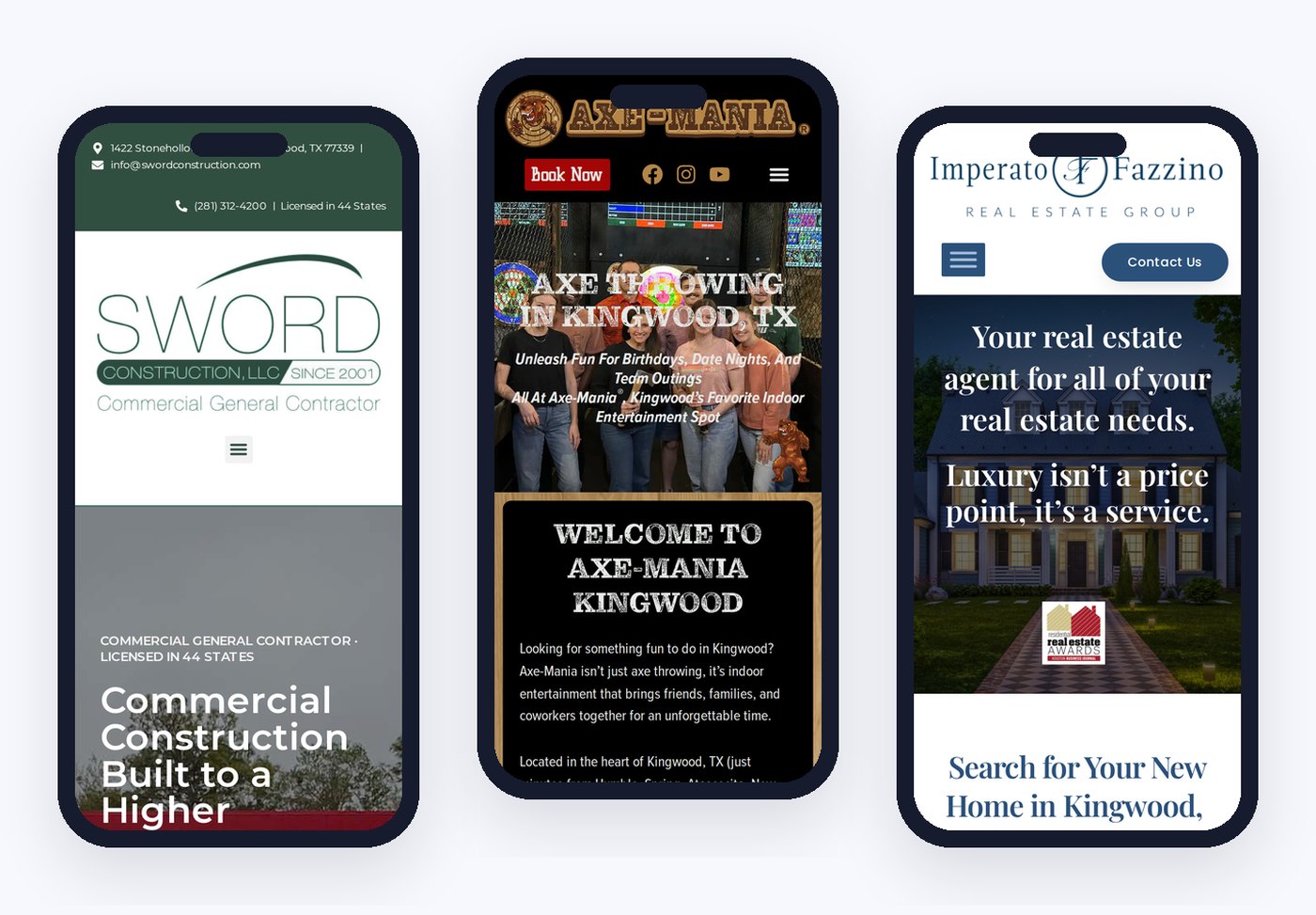
Our own site shows the method on an older website. A real estate website we launched for a Kingwood-based broker shows what happens when you build it right from day one.
The site launched on July 1, 2026 on WordPress. The top-level structure is simple: residential, commercial, land, services and resources. Under that, each county has a hub (Harris, Montgomery, Fort Bend and more). Each community has a hub under its county. Each subdivision sits under its community and links back up.
What it has done so far, by the numbers:
- More than 700 ranking keywords in roughly its first 8 weeks
- More than 1,500 keywords showing in Google Search Console at about 3 months
- About 50 to 60 users a day
- 27 AI listings picked up since the end of July
- Several solid phone inquiries, with 4 strong prospects
The section that ranked in a week
In early summer, the broker asked about the new Terafab development area north of Houston. We built the whole section at once: hub pages for Madison, Grimes and Brazos counties, pages for Madisonville, Navasota, Bryan, Todd Mission, Plantersville and the surrounding towns, plus pages on what property there is worth and why an owner needs an agent.
Within one week, that section held a number one spot and was showing up in AI answers, outranking news outlets on the topic. The key was publishing the full cluster at the same time, not one page here and one page there.
Uniqueness earns links
Structure gets you found. Uniqueness gets you linked. This site includes:
- School district guides, built one at a time, because relocating buyers always ask about schools and those pages attract links
- A guide to MUD taxes, written from notes by a local tax expert, for buyers moving from states without them
- A property tax protest guide for Harris and Montgomery counties that answers “is protesting my taxes worth it?”
- A plain-English explainer on how a federal law affects home sales, which came straight from the broker’s own experience. She now sends it to clients. It also has its own video.
- Corporate relocation pages for the companies moving into the Houston area
Several of these pages were drafted with AI. What makes them original is the human idea, the local knowledge and the extras like video that nobody else has.
Step 3: Send the Right Signals on Every Page
Structure is the skeleton. These on-page signals tell the AI engines what each part of the skeleton is for.
Use anchor text that says something
A link that says “Learn More” tells the search engine nothing. A link that says “luxury homes” or “office space for sale” tells it exactly what the next page is about.
On the real estate homepage, four core offerings sit in H3 tags: luxury homes, relocation, office space and investment property. Each should link to its matching page using those words as the link. That is the kind of fix you catch when you review your own site with fresh eyes.
Get your title tags and header tags right
A heading that says “Look at the Color” could be about rainbows, steak or cars. Your title tag and headers need to name the topic plainly. These are the same errors people made before AI, and AI will not fix them for you. AI is only as smart as what you tell it.
Add a breadcrumb trail
Breadcrumbs (Home > Web Design > Construction Website Design) show both visitors and AI engines where a page sits in your structure. It is easy to miss. Our own first pass forgot them, and a schema test caught it.
Put an FAQ on every page
Write FAQs that answer the real questions your customers ask. Google has scaled back how it displays FAQ results in its own search listings, so do not add them for a rich result. Add them because they answer the questions people type and speak into AI tools, and because Beth sees those answers getting picked up.
Link related pages at the bottom
Close each page with a “related pages” block that ties it to the rest of its hub. Those links are more feeders into the main topic page.
Step 4: Add Schema for Your Business Type
Schema is code that sits behind your page. Your visitors never see it. Search engines and AI systems read it to understand who you are, what you do and where you are.
There is schema for real estate agents, dentists, lawyers, travel agencies, local businesses, articles, events, reviews and much more. You do not need to write it yourself anymore. A plugin like Rank Math on WordPress handles much of it, and an AI assistant can write the rest.
One example from our client work: a travel agent’s site was full of travel guides, so Google could not tell whether it was an information site or a travel agency. Adding travel agency schema to every page settled the question.
Our Kingwood real estate site runs 17 schema types, each one added only where it fits the page.
Test it. Run your pages through Google’s Rich Results Test or the Schema Markup Validator. When we tested verticalweb.com live during class, we found our local business schema still carried an old address and was missing a country code. Schema that contradicts the rest of your listings hurts you. Check it.
Step 5: Build on a Platform You Control
Here is the part some people do not want to hear. Do-it-yourself website builders are easy for a reason. They limit what you can change, and structure, schema and URL control are often where they fall short. We have worked with hosted platforms that simply could not support the schema a client needed.
Vertical Web builds on self-hosted WordPress. That means WordPress installed on your own hosting, not wordpress.com, which works more like the other hosted builders. Self-hosted, you own the site and can change anything.
What if corporate controls your website? If you are a franchisee locked into a corporate site, you still have options. One assisted living client could not change its chain’s website, so we built a separate helpful resource site on choosing a facility and Medicare help, with ads pointing to the client’s location. The same idea works for entertainment venues and other franchise businesses.
How Many Pages Does Your Website Need?
More than you think. If you have a five-page website, you will have a hard time competing in AI search.
That does not mean writing filler. It means covering your business completely: every service, every industry you serve, every area you serve and every question your customers ask. A hyper-niche manufacturer making specialty plastics for aerospace and semiconductor buyers still needs several hundred pages to cover its materials, grades and applications.
The AI does the heavy lifting on research and drafts. Your job is to steer it, check it and add what only you know.
Keep It Going: Weekly Review
A great structure is not a one-time project. The real estate site runs an automated review every Sunday. It checks what the site gained, what it lost, what competitors are doing and what content to add next. It adds 8 to 10 pages a week.
It took time to train that process to write and structure pages the way we want. It also drifts, so we review it and correct the course. AI speeds up the work. It does not replace the person steering it.
Beth also showed the in-house dashboard Vertical Web built to track rankings, AI listings, lost keywords, competitor gaps, page scores and lead sources across our clients. More on that in a future session.
Coming Up Next Month
This session was about structure. In October, the clinic moves to content: an AI optimization guide for on-page content, built around Google’s newly released guidance, with an actionable checklist you can work through on your own site.
Your homework until then: build your mind map.
Frequently Asked Questions
What is technical SEO?
Technical SEO is how your website and its content are organized and put together. It covers site structure, URLs, internal links, title tags, header tags, breadcrumbs and schema. It sounds complicated, but if you can write an outline, you can understand it.
How do I get my website into AI search results?
Start with structure. Map your business, compare it to the strongest sites in your field, build complete clusters of related pages, link them with descriptive anchor text, and add the correct schema for your business type. Unique, helpful content then earns the links and mentions that build authority.
What is a website silo or hub?
A silo is a group of related pages organized like a family tree. A parent page covers the main topic, child pages cover subtopics, and grandchild pages cover specifics. Each page links up to its parent and across to its siblings, which strengthens the whole group.
Should I use separate websites or subdomains for different services?
For related services, no. One domain with well-organized sections is stronger and costs less to maintain. Vertical Web merged three separate websites into one in 2022.
Do I still need schema and FAQs?
Yes. Schema tells search engines and AI systems exactly what type of business you are. FAQs answer the real questions your customers ask. Google has changed how it shows FAQ results in its own listings, so add them for your readers, not for a rich result.
Can I do this on Wix or Squarespace?
Hosted builders limit how much you can control structure and code. For full control of your structure, URLs and schema, we recommend self-hosted WordPress.
Can I use AI to write my website content?
Yes, with care. Use AI for research and drafts, then add what only you know: your experience, your local knowledge, your own photos and video. That is what makes a page original and worth linking to.
Watch the Replay and Join the Next Clinic
The full recording of this session will be posted with our other class replays on the Internet Marketing Clinic page. The clinic runs most months on the fourth or last Wednesday, in partnership with the Houston City College Center for Entrepreneurship and SCORE.
Want to know how your own website’s structure stacks up? Vertical Web has been building and ranking websites in Houston since 1998, and Beth has been teaching SEO since 2003. Hosting, design, development and SEO all happen under one roof with our in-house team.
Request Your Free Website Audit · Schedule a Consultation · Class Schedule
Related Resources
- AI SEO services
- Houston SEO services
- Local SEO in Houston
- WordPress web design
- Website redesign
- Real estate website design
- Why web design and SEO go hand in hand
- The pitfalls of brochure websites
- How to choose an SEO company
- Areas we serve

- Website Structure for AI Search: How to Build a Site the AI Engines Can Find - October 6, 2026
- Are AI Images Copyrighted? Canva, Shutterstock, Image Claims and Your Website - October 6, 2026
- Can AI Engines See Your Business? - September 17, 2026