
WEB DESIGN FOR SCHOOLS AND EDUCATION
School Website Design That Families Trust
Websites for private schools, Christian and parochial schools, charter schools, Montessori programs, preschools and districts that help families choose you, keep parents informed and make enrollment simple.
Galleria 713-703-3030 | Kingwood 281-852-8253
ENROLLMENT STARTS ONLINE
How do families research schools online?
Choosing a school is one of the biggest decisions a family makes, and nearly every family starts online. Parents compare academics, class sizes, faith or philosophy, activities, tuition and location, usually on a phone in the middle of a busy week. Your website is often the first tour they take.
A school website also serves the families you already have. Current parents need calendars, lunch menus, forms, closures and announcements. Staff need a site they can update in minutes without calling a developer.
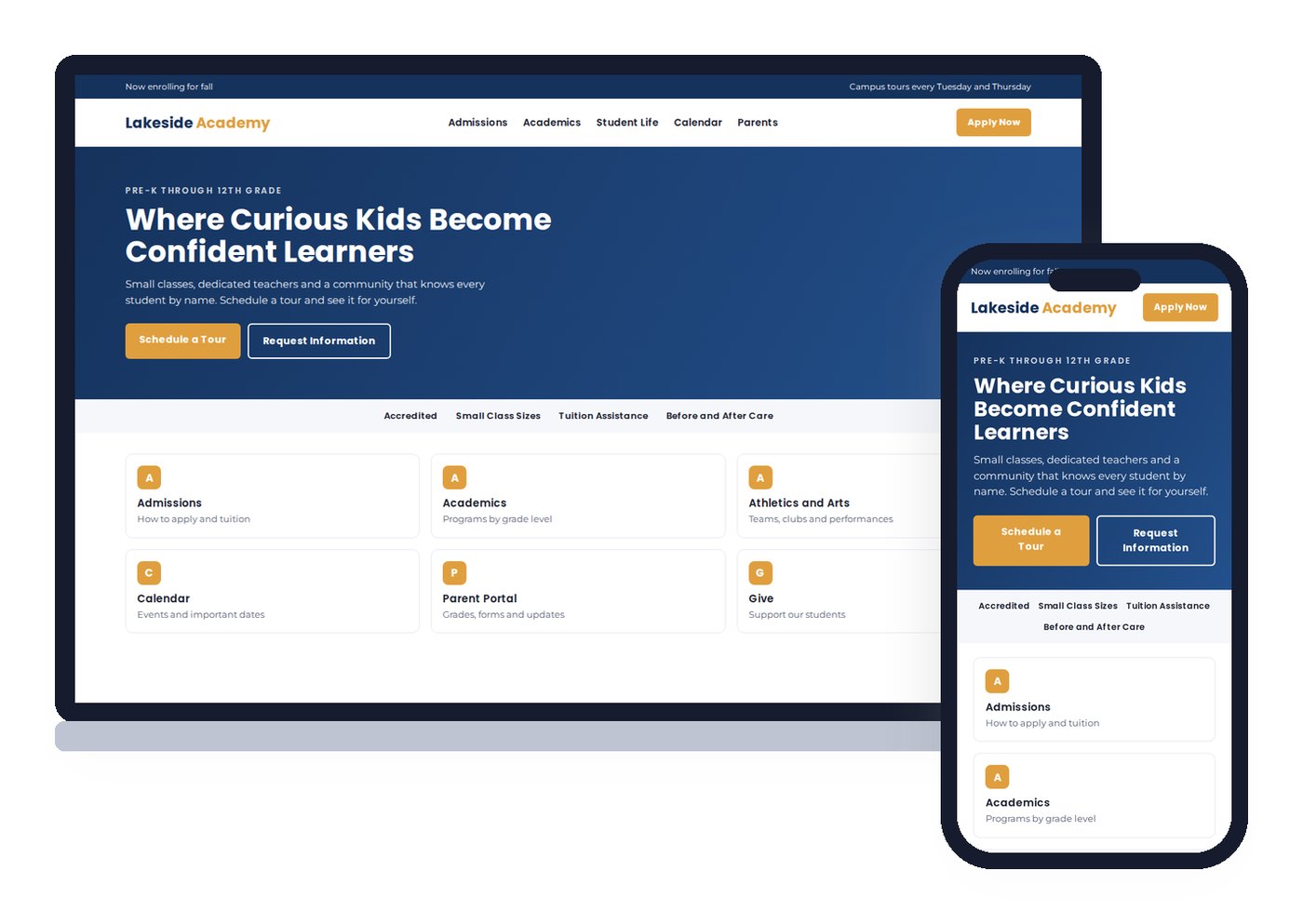
We design school websites for both audiences: a welcoming front door for prospective families and a reliable hub for your community. Every site is mobile first and built on WordPress so your office can keep it current.
WHAT PARENTS LOOK FOR
What prospective families need to see before they tour
Who you are
Your mission, approach and faith or philosophy, stated plainly on the home page.
Each grade band
A page for early childhood, elementary, middle and high school, with what a day looks like.
Admissions steps
Deadlines, what to submit, testing or interviews and what happens after you apply.
Tuition and aid
Tuition, fees and financial aid or scholarship options, so families can plan honestly.
Faculty and staff
Teacher profiles with credentials and a personal note. Parents choose people as much as programs.
Book a tour
A tour request form on every admissions page, with open house dates listed clearly.
KEYWORD PLANNING
How should a school website be organized for search?
Beth Guide once walked a class through the keyword map she built for a small private school in Friendswood. At the center were the terms that matched how the school was organized and how parents search: early childhood education, elementary K-5 and intermediate grades. Around each one she listed supporting terms, the search data behind them and notes on why each earned its spot. The map became the site’s navigation.
Her rule of thumb for schools is that you should understand a few hundred keywords your site needs to rank for, not just your school name. A gifted and talented program also competes with private school, Christian school, Catholic and parochial school searches. A Montessori preschool competes with daycare and pre-K searches, and has to explain why it is different from the home daycare down the street.
The structure that usually results:
- Division pages for each grade band, written for the parent of a child that age.
- Program pages for academics, arts, athletics, faith life, STEM, languages and special programs.
- Admissions pages for process, tuition, aid, tours and FAQs.
- Location signals for the communities you draw from, such as Katy, Cypress, Kingwood or The Woodlands.
- Comparison content that explains your approach against the alternatives parents are weighing.
Local visibility matters because most families want a school within driving distance. Our local SEO work keeps your Google Business Profile strong in the map pack.
FOR CURRENT FAMILIES
Features that keep parents informed
Calendars
School, athletic and event calendars families can subscribe to on their phones.
Alerts and closures
Weather closures and urgent news in a banner across every page, posted in minutes.
Forms and handbooks
Enrollment packets, permission forms and handbooks in one easy place.
Menus and schedules
Lunch menus, bell schedules and supply lists that staff update without a developer.
Giving and events
Online donations, auctions, galas and fundraising campaigns with clear progress.
Portal links
Clear links to your student information system, tuition payment and learning platforms.
Keeping families engaged between announcements is easier with a regular newsletter. Our email marketing service can send each new post to parents automatically, and text message alerts work well for closures and reminders.
THE CASE FOR VERTICAL WEB ON SCHOOL WEBSITES
A web team that teaches for a living
We teach too
Beth Guide teaches digital marketing for the SBA, the University of Houston SBDC, Lone Star College and HCC. We know how to train a busy staff.
One in-house team since 1998
Design, writing, hosting and support by our own staff. When the office calls, the people who built the site answer.
Your site, your domain
No rented platform. The school owns its website, domain and content, whoever runs the office next year.
PRIVACY AND PHOTOS
How should a school use student photos online?
Real photos sell a school better than stock images. They also carry risk. A photo with a child’s name, grade and campus tells a stranger exactly where to find that child.
Beth’s advice to schools in her social media classes is practical. Be careful with student images, never attach full names to faces and think twice before featuring even your own children. Teachers can carry a lot of the storytelling. A short skit by your faculty, a classroom walkthrough or a teacher explaining a project shows the school’s personality without putting students in the spotlight.
The rules we build into school sites:
- Student photos only with signed parent permission, following your media policy.
- No names, grades or schedules tied to student images.
- Galleries for events placed behind a parent login when appropriate.
- For public schools, alignment with FERPA directory information rules and district policy.
Accessibility belongs in the same conversation. Families include parents and students with disabilities, and public schools have specific obligations under the ADA. We build to WCAG 2.1 AA and fix PDFs and handbooks too. Our government website design page covers the public sector rules in more depth.
WHO WE DESIGN FOR
School and education websites we build
We build sites for independent and private schools, Christian, Catholic and parochial schools, charter schools, Montessori and early childhood programs, tutoring and learning centers, school districts and campus sites and parent associations and booster clubs.
Many schools also run as nonprofits and rely on donors. If fundraising is a big part of your mission, our nonprofit website design page covers donation forms, campaigns and volunteer sign ups. If you already have a site that ranks for some of your terms, a website redesign can modernize it while keeping those pages.
OUR PROCESS
How we build a school website
1. Listen to admissions and the front office. The admissions director knows which questions families ask on every tour. The front office knows which forms parents call about every week. Both shape the site more than any design trend.
2. Build the keyword map. We map the grade levels, programs and communities you serve to the searches parents make, the same way Beth mapped the Friendswood school.
3. Write for parents. Our writers draft division, program and admissions pages in warm, plain language, then your leadership reviews them for accuracy and tone. Tuition, dates and policies stay exactly as you provide them.
4. Plan photography. A campus photo day with consented students, teachers and classrooms gives the site real images for years.
5. Train and launch on your calendar. Schools have natural launch windows, usually before open house season or the start of the school year. We schedule around them and train staff to post news, menus and closures before the site goes live.
Story, content and communication
School home page design: telling your story and serving your community with content
A school homepage has to speak to different audiences at once. A new family wants to know what makes your school unique. A current parent wants the school calendar and today’s closure alert. A community member, a donor or an alumni volunteer wants news and a way to help. Good design gives each visitor a clear next step in one or two taps, on a phone or a desktop.
Lead with your story. Real photography and short video of classrooms, teachers and student life show your culture and the quality of your programs far better than a paragraph about excellence. Pair them with a few proof points families value, such as class sizes, programs and outcomes you already publish, and a clear call to action to schedule a visit. That builds confidence before the first phone call.
Communication keeps the community together after enrollment. A district website or a K-12 campus site should put critical information, such as alerts, calendars, menus and forms, in the same place on every page. Content that stays current, such as news posts, event recaps and social media feeds, gives families a reason to return and gives search engines fresh pages to index. When the site is easy for staff to update, it actually gets updated.
Your brand should carry through every section, from colors and logo to the voice of each message. If your look has drifted over the years, a refresh may be enough. A full rebrand changes the name, logo or identity and needs a careful rollout. Our branding services and website redesign teams handle both.
QUESTIONS
School website design questions
A clear statement of your mission and approach, pages for each division or grade band, admissions steps and dates, tuition and financial aid information, a tour request form, faculty profiles, student life and activities, a calendar and a parent area with forms, menus and announcements.
By ranking for what parents actually search, such as private elementary school near me, Christian school in Katy or Montessori preschool in Kingwood, and by making the tour request easy on a phone. Pages for each grade level, comparison content and strong Google Business Profiles all help.
Yes. We build on WordPress with simple editing for news, calendars, menus, closures and announcements, and we train office staff before launch. An emergency banner can be posted across the whole site in minutes.
With written parent permission, no names attached to faces and no details that identify where a child can be found. Many schools use photos of classrooms, campus and teachers for most pages and save student images for consented galleries. Follow your own media policy and, for public schools, FERPA guidance.
Yes. Families include parents and students with disabilities, and public schools have specific legal obligations under the ADA. We build to WCAG 2.1 AA, with readable text, strong contrast, keyboard navigation, captions and accessible documents.
Yes. District sites need a central site plus campus pages, department directories, board meeting records and alerts that reach every school at once. We plan the structure so each campus can update its own pages within district standards.
A refresh updates colors, fonts, photos and layout while keeping your name and logo. A rebrand changes the identity itself, such as the logo, name or core message, and needs a planned rollout across the website, signs and printed materials.
A template is faster to launch but looks like many other schools on the same platform and limits what you can change. A custom WordPress site is built around your story, your families and your search terms, and your staff can still update it easily.
AI engines cite schools whose websites clearly state the programs, grades, location, admissions steps and contact details, with clean structure and schema. We build school sites so AI tools and search engines can read and trust that information.
Is your website the tour families remember?
Request a free website audit. We will review your admissions path, grade level pages, local search signals and mobile use, then tell you plainly what to improve first.
Galleria 713-703-3030 | Kingwood 281-852-8253 | info@verticalweb.com
No related posts.