
WEB DESIGN FOR PUBLIC ENTITIES
Government Website Design for Cities and Districts
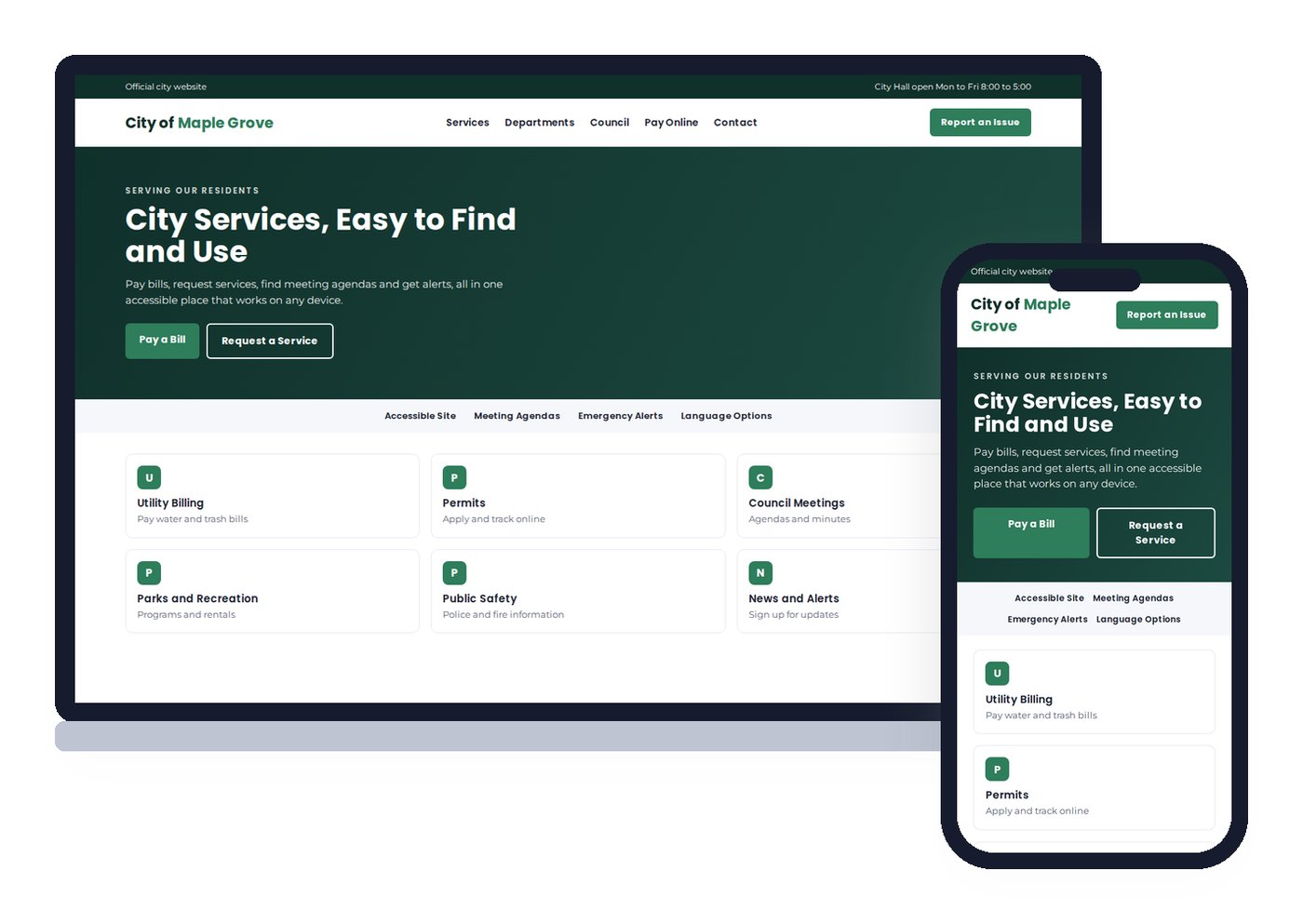
Accessible, easy to use websites for cities, counties, utility districts, special districts and public offices that help residents pay, apply, find information and stay informed, on any device.
Galleria 713-703-3030 | Kingwood 281-852-8253
PUBLIC SERVICE ONLINE
What do residents expect from a government website?
Residents come to a government website to get something done. They want to pay a water bill, apply for a permit, read a meeting agenda, report a pothole or find out who to call. When the site is confusing, slow or inaccessible, every one of those tasks becomes a phone call or a trip to the office.
Public websites also carry obligations business sites do not. They must be accessible to residents with disabilities, publish public information clearly and stay accurate during an emergency. And they serve everyone, on every kind of device, including older phones on slow connections.
We design government sites around the tasks residents come to complete. Each one is mobile first, built to accessibility standards and built on WordPress, so staff post agendas and notices themselves. Our WordPress web design page explains why we build on that platform.
WHAT RESIDENTS NEED
What residents look for on a government website
Online payments
Utility bills, permit fees and fines paid through your existing payment provider, on a phone in under a minute.
Forms and permits
Applications and service requests that work on any device and route to the right department.
Meetings and records
Agendas, minutes and public notices posted on time and easy to search by date or board.
Alerts and news
Emergency notices, boil water notices, closures and storm updates at the top of every page.
Departments and contacts
Who does what, with phone numbers, emails, office hours and addresses that open in maps.
Access for everyone
Readable text, captions, keyboard navigation, alt text and accessible PDFs.
ACCESSIBILITY
Do government websites have to meet ADA and WCAG standards?
Yes, and the rules got specific. In 2024 the U.S. Department of Justice issued a rule under Title II of the ADA that sets WCAG 2.1 Level AA as the technical standard for state and local government websites and mobile apps. Larger governments had until April 2026. Smaller governments and special districts have until April 2027. Your attorney should confirm which date applies to your entity.
For most public sites, the work falls into a few areas:
- Page structure. One H1 per page, headings in order, labeled form fields and buttons that make sense to a screen reader.
- Color and text. Contrast strong enough to read, text that resizes without breaking and nothing that relies on color alone.
- Keyboard use. Every menu, form and accordion works without a mouse.
- Media. Captions on meeting videos and alt text on images.
- Documents. Agendas and reports posted as scanned PDFs are a common failure. Tagged PDFs or web page versions fix it.
Accessibility is not only a legal box. The same choices make the site easier for a resident in a hurry, on a small screen or reading in a second language. We explain the overlap with search in what makes a search engine friendly website.
HOUSTON IS DIFFERENT
Websites for Texas cities, counties, MUDs and special districts
Beth Guide likes to point out in her classes that Houston is one of the strangest places on earth to explain to Google. Huge parts of the region are unincorporated. Neighborhoods like Spring or Atascocita have no mayor, and services come from a patchwork of counties, municipal utility districts, emergency services districts and drainage districts. Even Kingwood, which is inside the city of Houston, sits about 25 miles from downtown.
That patchwork confuses residents too. Many do not know which district bills their water or runs their fire service. A good special district website answers that first, with a clear service area map, the subdivisions it covers, current rates, board members and how to pay.
It also confuses search engines, which is why clear names, addresses and service areas on every page matter. The same principles we use for local SEO in Houston help residents find the right public body when they search.
Texas open meetings rules also require many entities to post notices online when they keep a website. We set up a notice and agenda section that staff can post to in minutes, with dates that are easy to verify later.
THE CASE FOR VERTICAL WEB ON GOVERNMENT WEBSITES
A public website team that stays put
We teach this
Beth Guide teaches digital marketing for the SBA, the University of Houston SBDC, Lone Star College and HCC. We will train your staff in plain English.
One in-house team since 1998
Design, development, hosting and security by our own Houston staff. No offshore developers on a public website.
Built to outlast elections
Staff turn over and officials change. The site, the domain and the training stay with the entity, not with a person.
BEST PRACTICES
Design elements of an effective government website
Search that works
Site search that finds services, departments and documents, not just news posts.
Task based navigation
Menus built around what residents do, such as Pay, Apply, Report and Find a Meeting.
An emergency banner
One switch posts an urgent notice across every page, with no developer needed during a storm.
Language options
Plain language everywhere and Spanish or other translations for the communities you serve.
Mobile first design
Most residents visit on a phone. Pages are designed small screen first, then scaled up.
Secure, reliable hosting
SSL, updates, daily backups and monitoring on servers our own team manages.
Public sites get traffic spikes exactly when things go wrong: hurricanes, freezes and boil water notices. Hosting has to hold up on those days. Read about our managed cloud hosting for entities that need extra capacity.
WHO WE DESIGN FOR
Government and public sector websites we build
We build websites for small cities and towns, county offices, municipal utility districts, emergency services districts, drainage and water districts, appraisal and tax offices, public libraries and the offices of elected officials.
Elected officials need two different sites. An official office site serves every constituent and follows public rules. A campaign site asks for votes, volunteers and donations and must stay separate. We handle the campaign side through our campaign website design service and keep the two cleanly apart.
Schools and districts have their own needs and audiences, covered on our school website design page. Chambers and civic groups should see chamber of commerce website design.
HOW THE PROJECT WORKS
What does a government website redesign involve?
Discovery and content inventory. Public websites grow for years without a plan. We start by listing every page and document, finding what residents actually use and flagging outdated or duplicate content. Old notices and records stay available where retention rules require them.
Procurement friendly scope. Many entities need a written proposal, a fixed scope or a response to an RFQ. We write the scope in plain terms, with separate lines for design, accessibility remediation, hosting and training, so a board can approve it without guesswork.
Accessible build. Templates are built to WCAG 2.1 AA from the start. Then we test with automated tools and by hand with a keyboard and a screen reader, because automated scans miss many real problems.
Redirects and launch. Residents bookmark the bill pay page and the agenda page. Every old address is redirected to its new home so those bookmarks and search results keep working.
Training and support. Staff learn to post agendas, notices and alerts before launch. After launch, the same in-house team handles updates, backups and questions.
Who owns which page
Municipal website governance: content roles, policy and transparency
Most municipal website problems are governance problems, not design problems. A city launches a clean site, and within a year the homepage carries five banners, departments post PDFs with no dates, and nobody knows who is allowed to remove an old notice. Website governance is the set of rules that prevents that: who owns each section, who can publish, who reviews, and when content expires.
Governance belongs in every government website design project. Each department or role gets edit access only to its own pages. Agendas, minutes and public notices follow a fixed template with a posting date, so transparency does not depend on one staff member remembering the format. A short written web policy covers accessibility, records retention, social media posts and who approves emergency alerts. For a small municipality or special district, that policy can fit on two pages. What matters is that it exists and that new staff are trained on it.
Good governance also lowers risk. Accessibility complaints, outdated fee schedules and broken payment links usually trace back to content no one owns. When every page has an owner and a review date, the site stays accurate between redesigns, and the organization can show residents and auditors exactly how public information is maintained.
Built around tasks
Government website navigation and user experience: research, layout and examples
Government website navigation should follow what residents come to do, not the org chart. Research at the start of a project makes this clear: review search data and the site’s own analytics, list the most common phone calls and emails staff receive, and where possible run a short survey of residents. The top tasks almost always look similar: pay a bill, report a problem, find a meeting, apply for a permit, check trash and recycling days.
Those tasks shape the layout. The homepage leads with a search box and a short row of task buttons. Each department page opens with its most requested services, its hours and how to reach it. Menus use plain words a visitor would type, such as Pay My Water Bill rather than Utility Billing Services. The result is ease of use on every device, which matters because many citizens reach the site on a phone.
For example, a utility district that moves its outage map and boil notices to a single alerts page, linked from every page header, gives residents one place to look during a storm. Features like that are what make a public website useful to the community. Software and platform choices should serve those goals; we build on WordPress so staff can manage content without a vendor ticket. For related public-sector work, see our HOA website design and school website design pages.
QUESTIONS
Government website design questions
Task based navigation for paying, applying and reporting, meeting agendas and minutes, public notices, department contacts and hours, an emergency alert banner, site search that finds documents and accessibility built into every page and file.
Yes. The Department of Justice’s 2024 rule under ADA Title II set WCAG 2.1 Level AA as the standard for state and local government websites, with compliance dates of April 2026 for larger entities and April 2027 for smaller ones and special districts. Your counsel should confirm which date applies to you. We build to that standard and fix PDFs and documents too.
Yes. We build on WordPress with simple editing screens for agendas, notices, news and alerts. Staff can post an emergency banner across the whole site in minutes, and we train them before launch.
Yes. Municipal utility districts, emergency services districts, drainage districts and similar public bodies need the same core tools as a city: notices, agendas, board contacts, rates and payment links. Many of their residents do not even know which district serves them, so clear service area information matters.
Yes. We connect your existing payment provider for utility bills, permits, fees and fines, so residents pay securely without the site storing card numbers.
Official office websites serve all constituents and follow public rules. Campaign sites ask for votes, volunteers and donations and must be kept separate. We build both, but never mix them on the same site.
Website governance is the set of rules for who owns, publishes, reviews and removes content on a public website. It keeps agendas, notices and fees accurate and accessible between redesigns.
In most cases, yes. Residents increasingly ask AI assistants about meeting times, fees and services, and accurate public pages help those answers stay correct. Sensitive records and staff-only areas should stay behind a login, as they should for any visitor.
Is your public website ready for residents and the 2027 deadline?
Request a free website audit. We will check accessibility basics, mobile use, documents and speed, then give you a plain list of what to fix first.
Galleria 713-703-3030 | Kingwood 281-852-8253 | info@verticalweb.com
No related posts.