
DO IT YOURSELF SEO
DIY SEO Tool for Small Business Owners Who Want to Do It Themselves
Not every business is ready to hire an SEO company. If your budget is tight and you have an hour a week, the right tool can tell you exactly what to fix next. Here is when doing it yourself makes sense, and the tool we built for it.
Galleria 713-703-3030 | Kingwood 281-852-8253
Should you do your own SEO?
Is DIY SEO right for your business?
We have taught SEO to business owners since 2003, at the SBA, the University of Houston SBDC, Lone Star College and HCC. The most common question after class is the same one: can I just do this myself? The honest answer is sometimes yes.
DIY SEO works best when you have one location, a market that is not packed with competitors, and someone who can spend about an hour a week on the website. A dentist in a small town, a contractor who serves a few zip codes or a new business that cannot fund an agency yet can all make real progress on their own. It goes better when you understand the basics, which is why our Internet Marketing Clinic and on-demand SEO classes exist.
DIY SEO is a poor fit when your market is crowded, when traffic fell off a cliff after a redesign or an update, or when your time is worth more running the business. In those cases a tool still helps, but it cannot replace a team. If your traffic dropped, start with the Traffic Drop Analyzer before you change anything.
What to look for
What should a DIY SEO tool do for you?
Most SEO software was built for specialists. It hands you hundreds of warnings and a wall of charts, then leaves the next step to you. A tool for owners has to do the opposite.
Tell you what to do this week
A short list ranked by value, so the change most likely to bring customers is always first.
Explain fixes in plain words
Each issue says what is wrong, why it matters and the steps to repair it, without the jargon.
Compare you to who ranks
Score your page against the pages Google ranks today, so you know what is missing.
Count leads, not just clicks
Show which pages bring calls, forms and orders, because customers are the goal, not traffic.
Watch AI search
Show which searches trigger an AI answer and whether the AI engines can read your pages.
Report without a login
Send a weekly summary by email so you see progress without living in the software.
The tool we built
Why we recommend elev8tor.ai
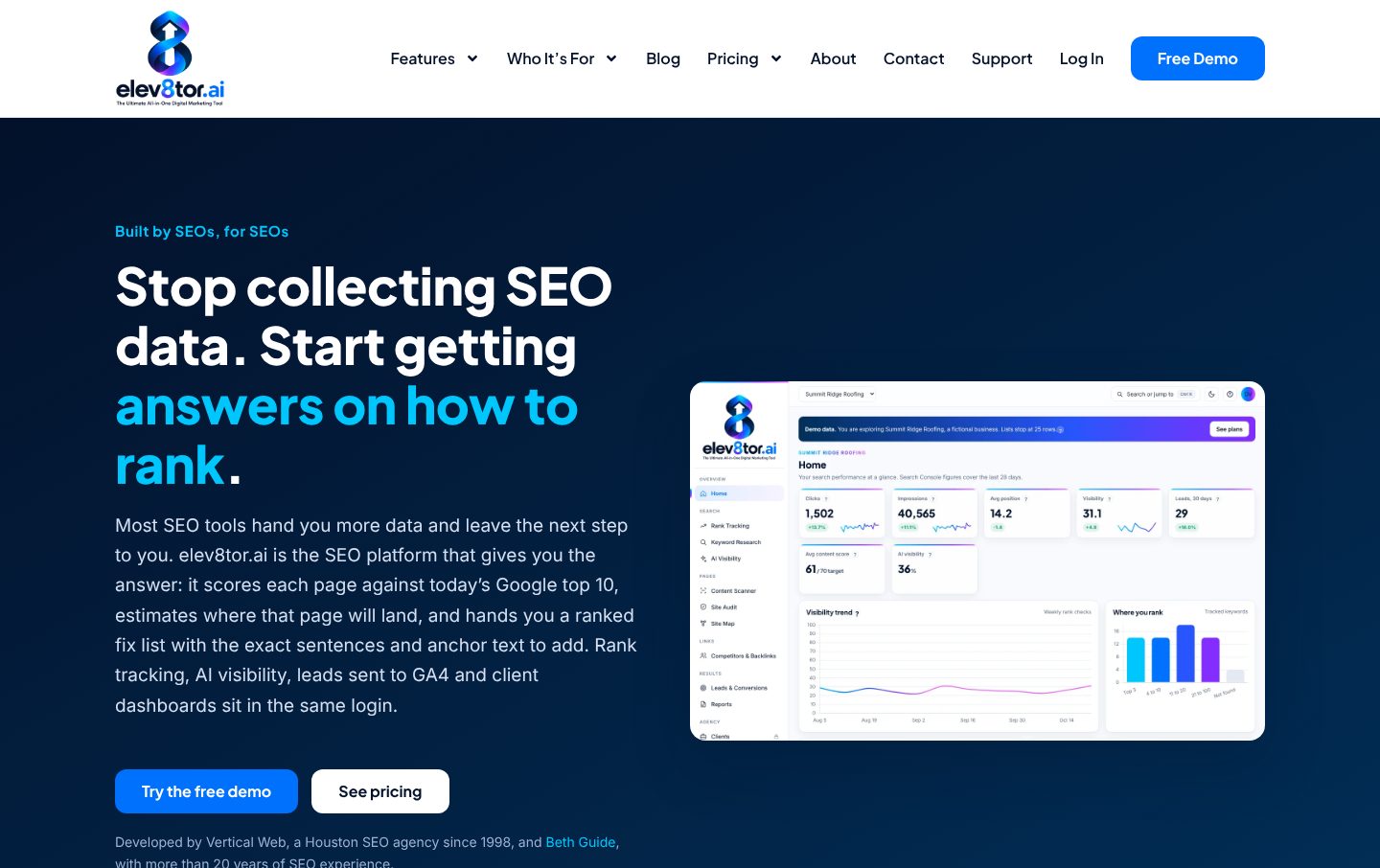
We did not go shopping for a DIY SEO tool to recommend. We built one. elev8tor.ai started as the internal console our team uses on client sites, and every client page we publish is checked by its content scanner before it ships. We turned that working system into software so owners get the same playbook we use.
It scores a page against today’s Google top 10, estimates where it will land and gives you a ranked fix list with the exact sentences and links to add. Rank tracking, AI visibility and lead tracking sit in the same login, and your whole team can log in at no extra cost.
You should know we are biased, because we built it. That is also why we can tell you what it will not do: it will not write your reviews, fix a hacked site or make a crowded market easy. Try the small business edition with the free demo first and see if it fits.
An hour a week
What does a DIY SEO week look like?
You do not need to live in the software. The owners who get results follow a simple routine, about an hour once a week.
First, look at the home screen for clicks, visibility and any alerts. Second, open the top item on your to-do list and follow the steps to fix it on your website. Third, check which pages brought calls and forms this week and which brought none. Fourth, pick one page that should bring leads and does not, and compare it to the pages that rank. Last, read the weekly summary when it lands in your inbox.
Done every week, that routine compounds. Most of the fixes are the same ones we make for paying clients: clear titles, one idea per page, answers to the questions customers ask, accurate business listings and good local SEO on your Google Business Profile. Our website problems guide covers the common ones in plain language.
Tool or team
DIY SEO tool or an SEO company: which should you choose?
Choose the DIY tool when
Your budget is limited, you have one location, your market is not crowded and you or someone on staff has an hour a week.
Choose our team when
Your market is crowded, traffic dropped, you need a redesign, or your time is worth more running the business.
Or start with one, add the other
Many owners start on their own and call us later. Your data and history carry over, so nothing is wasted.
If you are not sure, start with a free website analysis. We tell you what we find whether or not you hire us, and if a DIY tool is the better fit for your budget, we will say so. When you are ready for help, our SEO services and published SEO pricing plans are here.
Avoid these
Common DIY SEO mistakes we see in class
Chasing the wrong keyword. Owners often pick the word they use instead of the words customers type. A tool that shows search volume and the pages ranking today keeps you honest. If the top results are directories or national brands, pick a more specific phrase you can win.
Fixing everything at once. A crawl report with 400 warnings is not a plan. Most of those warnings do not move rankings. Work the list from the top, one change at a time, and give each change a few weeks before you judge it.
Copying a competitor’s page. Google and the AI engines reward pages that say something the others do not. Your own process, your own prices, your own photos and the questions your customers really ask are what make a page worth ranking. Copied copy is what gets ignored.
Ignoring the Google Business Profile. For a local business, the map pack is often worth more than the first organic result. Keep your hours, categories, photos and services current, and ask happy customers for reviews every week.
Measuring rankings instead of calls. A ranking that brings no calls is a vanity number. Track which pages bring forms and phone calls, and spend your hour each week on the pages that should bring leads and do not.
The case for Vertical Web
Why business owners trust our advice on DIY SEO
We teach it
Beth has taught SEO for the SBA, UH SBDC, Lone Star College and HCC since 2003. Teachers cannot hide behind jargon.
One in-house team
Design, hosting, SEO and ads under one roof since 1998, with no subcontractors.
We tell you what not to buy
If a tool and an hour a week will get you there, we will tell you that instead of selling you a retainer.
The free tools
Which free SEO tools should you use alongside a DIY SEO tool?
Before you pay for anything, set up the free tools Google gives every website owner. They are the source data most SEO software reads anyway.
- Google Search Console shows which search queries bring visitors, which pages are indexed, broken links and errors Google found, and whether your sitemap was read. If you only set up one tool, make it this one.
- Google Analytics shows what visitors do once they arrive: which pages they read, where they leave and which pages bring a form or a call.
- Google Business Profile controls how you show up in the map pack for local searches. Keep your hours, categories, photos and services current.
- Google Keyword Planner gives rough search volume for the terms you are thinking about, which helps you choose a topic for each page.
On a WordPress website, an SEO plugin handles the sitemap, title tags and descriptions, and makes it easier to control indexing so the right pages show up in search engines.
The big paid suites are built for marketers and agencies. They show huge amounts of data about backlinks and every term a competitor ranks for, which is useful if you know what to do with it and overwhelming if you do not. A DIY tool for owners should turn that data into a short list of what to work on this week. If you are starting with no experience, set up Search Console and Analytics first, pick one page that should bring customers, and improve that page before you touch anything else. Our on-demand SEO classes walk through each of these tools.
Questions
DIY SEO tool questions
Yes, if you have about an hour a week and a tool that tells you what to do next. Many single-location businesses in less crowded markets can make real progress on their own. Crowded markets, penalties and big redesigns usually need a team.
The best one is the one you will actually use. Look for a tool that ranks your to-do list by value, explains each fix in plain words and shows which pages bring calls and forms. We built elev8tor.ai for exactly that, so we are biased, and we say so.
Most cost less per month than an hour of agency time. elev8tor.ai publishes its plans on its pricing page, including a Starter plan built for one business and a free demo you can try first.
That is common, and it is a good way to start. Your data, your tracked keywords and your fix list carry over, so when you call us we start from what you already did instead of from zero.
No. Our free website analysis is a one-time look at your site by our team. A DIY tool keeps checking every week and tells you what to work on next, so you can keep improving without waiting on anyone.
Ready to do your own SEO, or would you rather we do it?
Try the tool, take a class or call us. Any of the three is a good next step, and we will tell you which one fits your budget.
Galleria 713-703-3030 | Kingwood 281-852-8253 | info@verticalweb.com
No related posts.